A quick-start system to organize your files, folders, templates, and sanity.
The Designer’s Digital Declutter Toolkit
If your desktop looks like a digital junk drawer…
Your Downloads folder has a black hole vibe…
And your AutoCAD drawings are named things like FINAL_final2_useTHIS.dwg…
This is for you.
What is it?
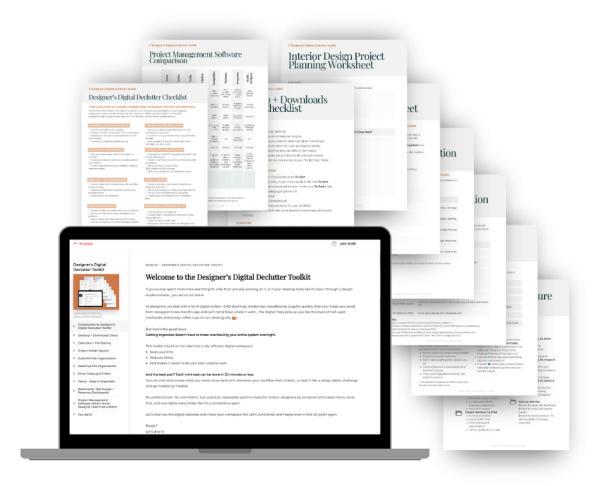
A practical, non-overwhelming toolkit designed for interior designers who want to feel calm, confident, and in control of their digital workspace—without spending days organizing files or creating elaborate systems they’ll never use.
Each section is designed to take 20 minutes or less.
You can start anywhere. Skip what doesn’t apply. Come back when you need it.
✋ Quick heads-up: The Toolkit is currently only available to customers in the US, UK, Canada, Australia, New Zealand, Singapore, and South Africa. I’m a one-woman show over here, and I haven’t wrangled the global tax laws and requirements. I so appreciate your understanding—and I hope to open it up to more countries soon!
Each section is designed to take 20 minutes or less.
You can start anywhere. Skip what doesn’t apply. Come back when you need it.
what’s inside:
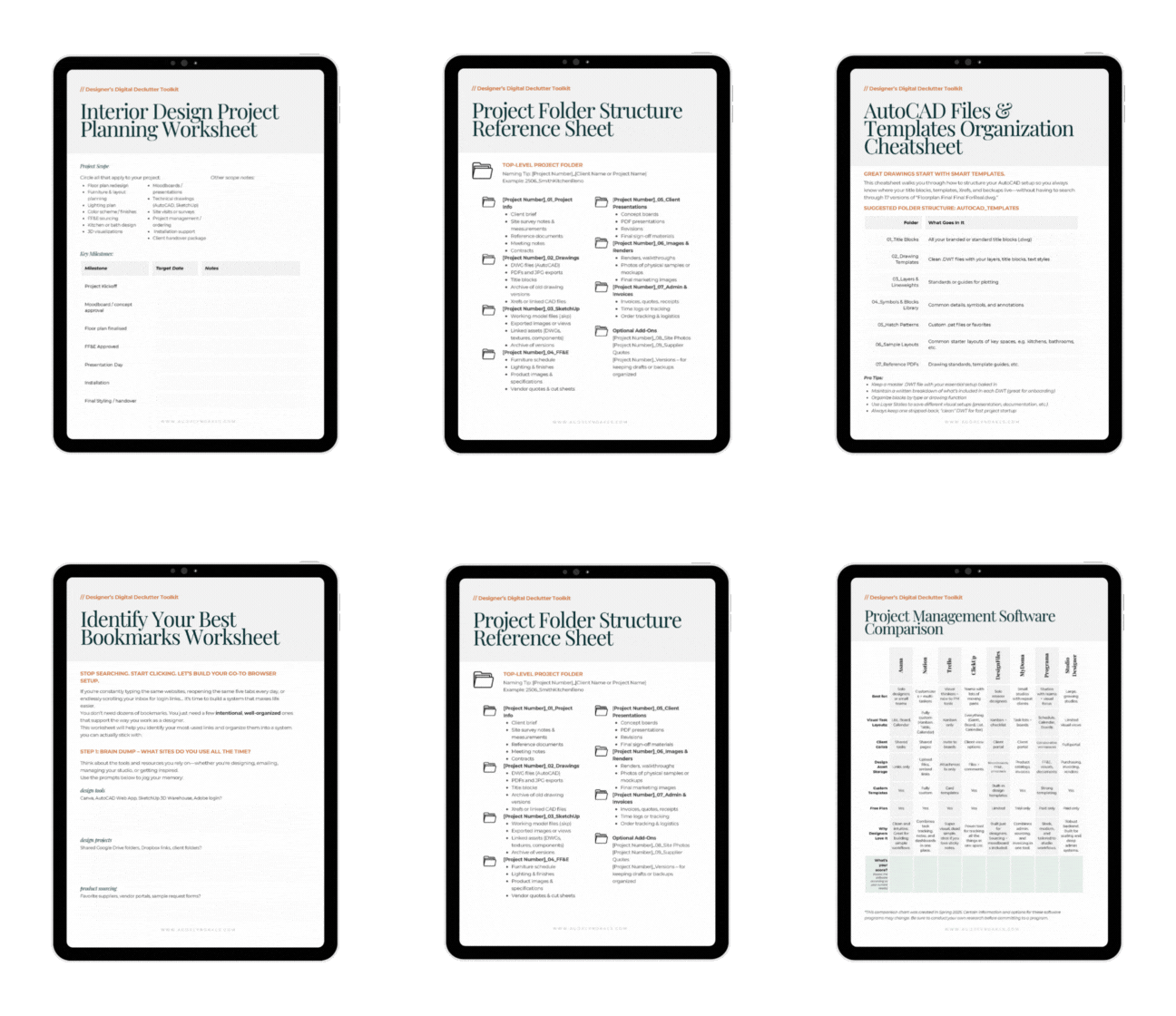
8 Actionable Lessons + Worksheets, Checklists, etc.
to build a more organized digital designer life
- A desktop and downloads detox to clear visual clutter and help you stop losing files to the abyss.
- A ready to go project folder structure so every file has a home you can actually find again.
- AutoCAD file and template setup tips to stop the duplicate chaos and make drawings easier to reuse.
- SketchUp file and resource organization to keep your models light, your components sorted, and your scenes working for you.
- A Canva cleanup checklist so your presentations, templates, and moodboards stop living in the land of “copy of copy of final.”
- An email organization cheatsheet to tame your inbox with filters, folders, and a 10-minute weekly reset.
- A browser bookmark and resource dashboard setup to keep sourcing links, inspiration, and software tools just a click away.
- A project management jumpstart to help you plan projects with less stress—plus a lite Google Sheets template if you’re not ready for big software yet.
- Plus: printable checklists, planning worksheets, a couple of quick tutorials, and the satisfaction of finally feeling on top of it all.
Ready to get digitally organized?
Get your Designer’s Digital Declutter Toolkit
For the price of a fancy coffee (or two), you can stop feeling overwhelmed by your digital workspace and start feeling like the pro you are.
Instant access, no fluff, and no judgment.
Each section is designed to take 20 minutes or less.
You can start anywhere. Skip what doesn’t apply. Come back when you need it.
✋ Quick heads-up: The Toolkit is currently only available to customers in the US, UK, Canada, Australia, New Zealand, Singapore, and South Africa. I’m a one-woman show over here, and I haven’t wrangled the global tax laws and requirements. I so appreciate your understanding—and I hope to open it up to more countries soon!
Each section is designed to take 20 minutes or less.
You can start anywhere. Skip what doesn’t apply. Come back when you need it.
who am i?
Hi, I’m Audrey
and I’m an interior design educator.
I’m an interior design educator who’s taught hundreds of designers—from total beginners to seasoned pros—how to work more confidently with digital tools.
And while learning software can be overwhelming, once you’ve learned it, I’ve found that staying organized digitally is often what makes the biggest difference.
I created this toolkit to help you bring more order to your design life—whether it’s your AutoCAD files, project folders, moodboard templates, or just that overflowing Downloads folder.
Because once your digital space is clear, you’ll be amazed how much easier it is to focus, create, and actually enjoy your work again.